Announced in Prague: Eloquens® AI is now built directly into GFI KerioConnect®.
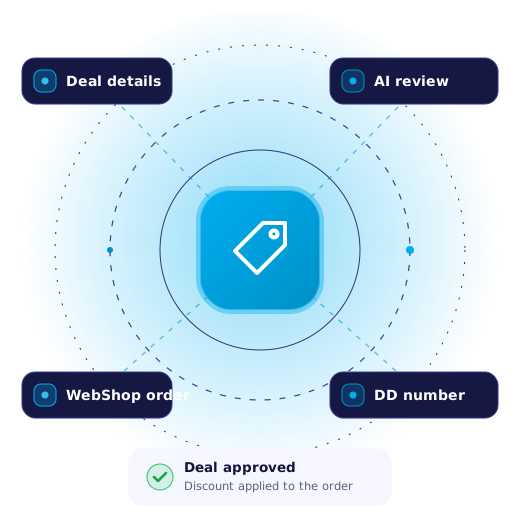
DealDesk

Close deals faster with AI-powered DealDesk.

Streamlining your DealDesk process. We've made closing deals significantly faster with our new AI-powered DealDesk, now live in WebShop.
Key features

What's new in DealDesk.

Request in WebShop

Request discounts directly in WebShop while placing orders.

Instant AI approval

Provide detailed info for instant AI approval.

Close deals faster

Get quick answers and close deals faster.
✦ Video walkthrough

DealDesk how-to guide.

What you'll learn: how to submit effective deal desk requests, tips for increasing approval chances, best practices for documentation and common pitfalls to avoid.
Getting started

How to use the new DealDesk.

1. Access and set up

Log in to the Accounts Portal and follow the regular order process.

2. Submit a discount request

In step 4, enter the requested discount amount and click Submit Deal Desk.

3. Provide details

Enter a detailed but concise description of the circumstances for the discount request.

Tip: After making changes, click Preview Order to update the values and reveal the Submit Deal Desk button.

Best practices

What to include, and what happens next.

Submission guidelines

Clarity and relevance. Clear explanation of the discount reasoning.Market and competition. Current market conditions and competitive factors.Customer value. Benefits for both the customer and GFI Software.Strategic fit. Alignment with GFI Software's goals.Risk and mitigation. Potential risks and how you will address them.

Approval process

Based on the strength of your submission, you'll receive one of two outcomes:Approved. A well-supported request. Proceed with the discounted order.Rejected. Resubmit through DealDesk with additional supporting information, or proceed with the order without a discount.

To track your deal desks: go to Manage › Orders › DealDesk and search for your deal desk number (DD-202…).

Need help with a deal desk?

Contact your Digital Sales Manager (DSM) or our team through the Customer Care Portal. For full details, see the DealDesk documentation.