Machine learning that turns network noise into next steps.
RADAR™ is a feature of GFI AppManager AI built to raise network security and performance. It automates data collection and analysis, then turns what it finds into clear, actionable insight — so decisions are faster and better informed.
Step 1
Collect
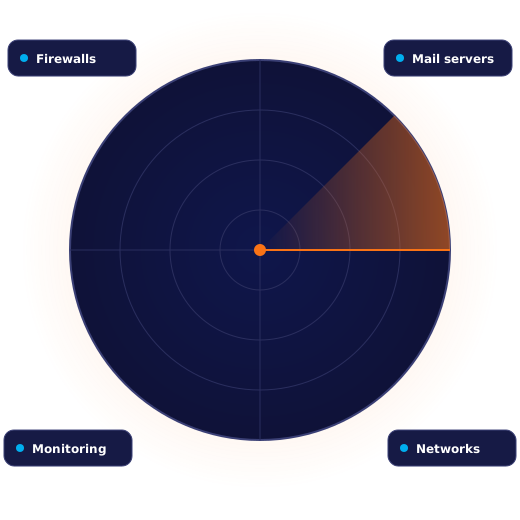
Pulls data from firewalls, mail servers, monitoring tools and more across your IT infrastructure.
Step 2
Correlate
Machine learning correlates the signals to spot anomalies and changes others miss.
Step 3
Act
Get suggested actions — with automation options — ready to run from one console.
How RADAR™ works
From raw signals to resolved issues.
Unified data insights
One view of network health.
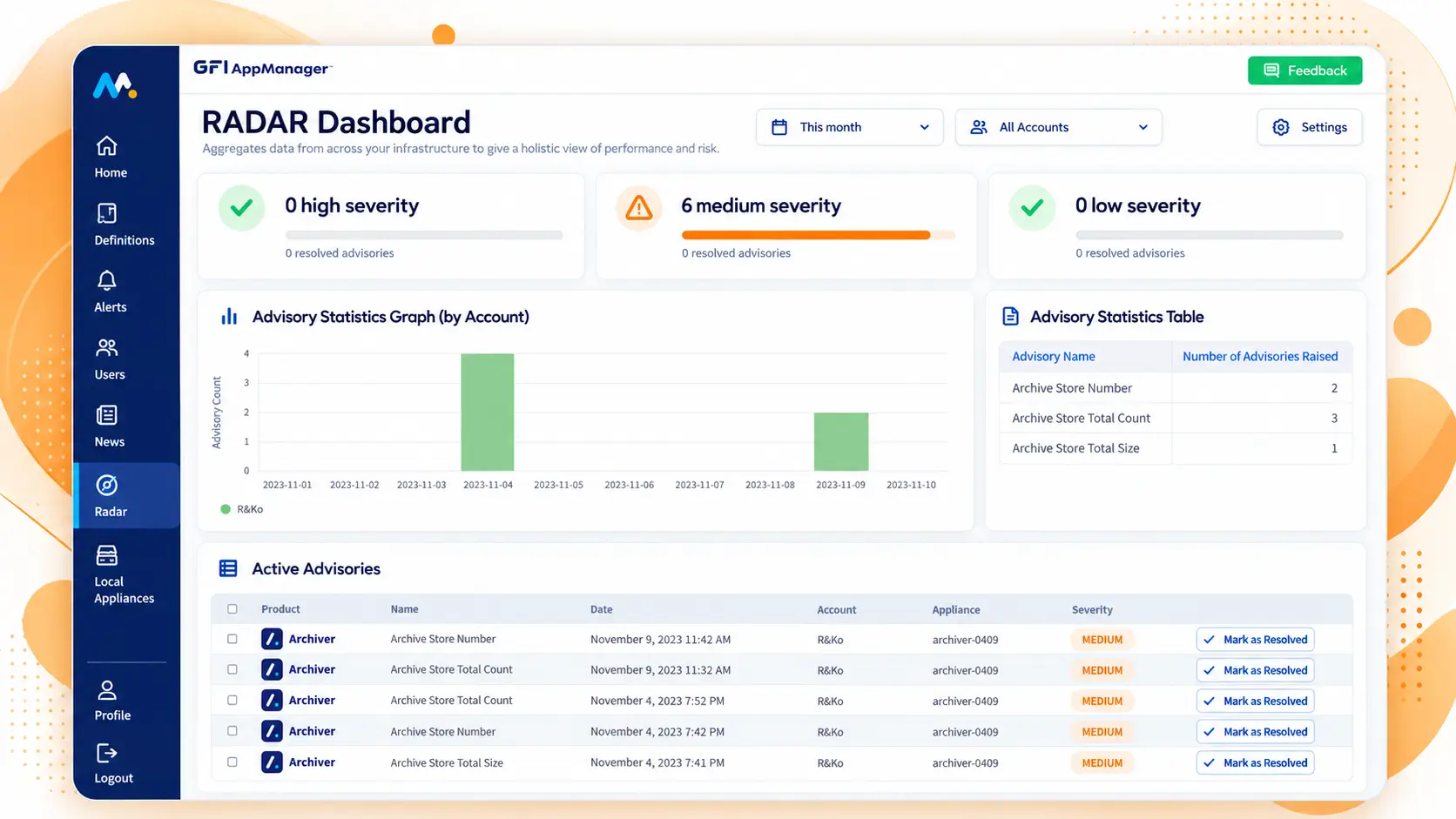
RADAR™ aggregates data from across your infrastructure and correlates it automatically, for a holistic picture of performance and risk.
Data from firewalls, mail servers and monitoring tools
Automated analysis and correlation
Deeper insight into network status
● ● ●
GFI AppManager AI · RADAR™
Intelligent analytics
Anomalies found fast — with a fix attached.
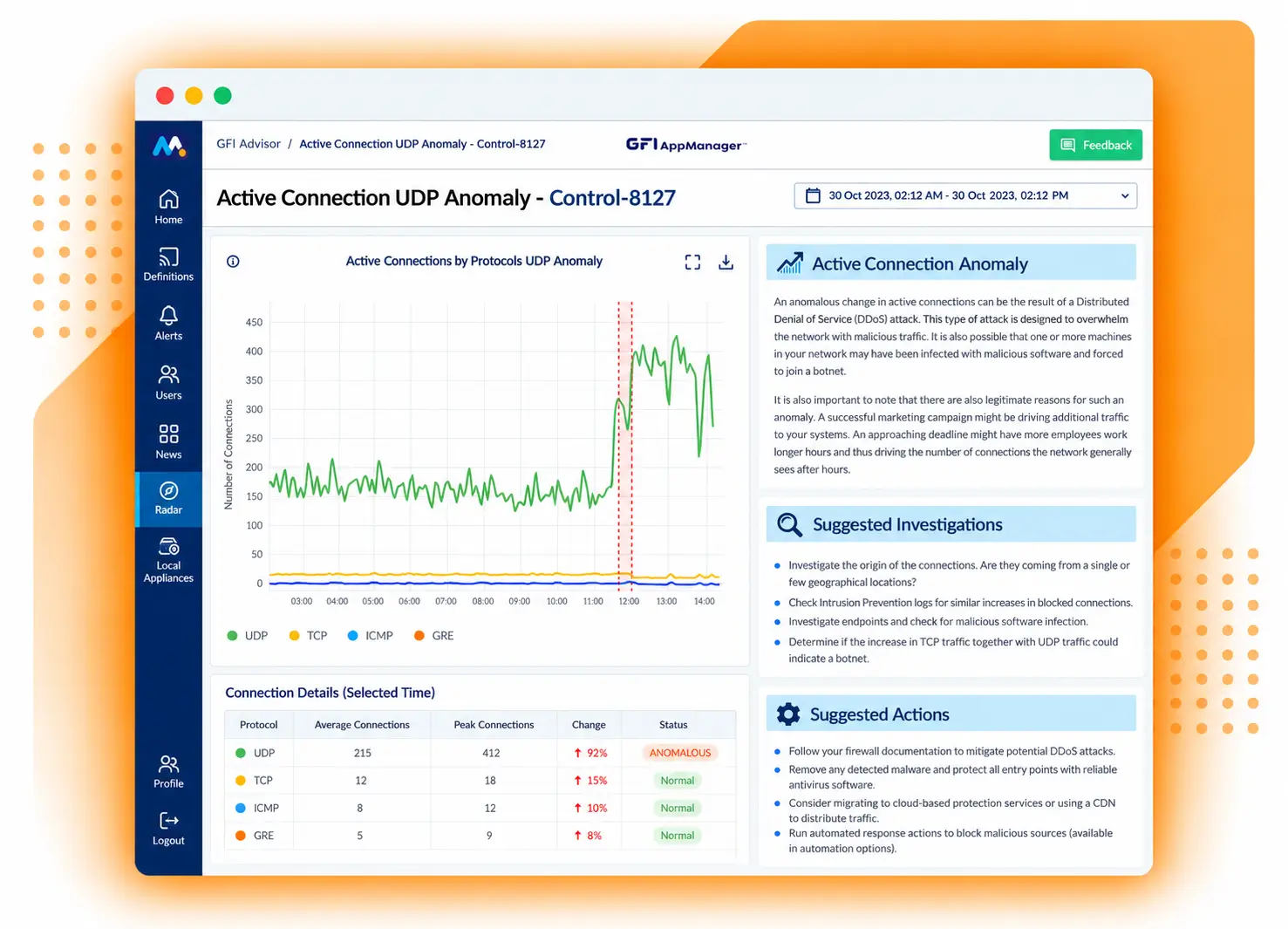
Machine learning detects anomalies and changes in your network quickly, then recommends what to do about them.
ML-driven anomaly and change detection
Actionable recommendations
Automation options, ready to run
● ● ●
GFI AppManager AI · RADAR™
Streamlined IT management
Respond across systems from one place.
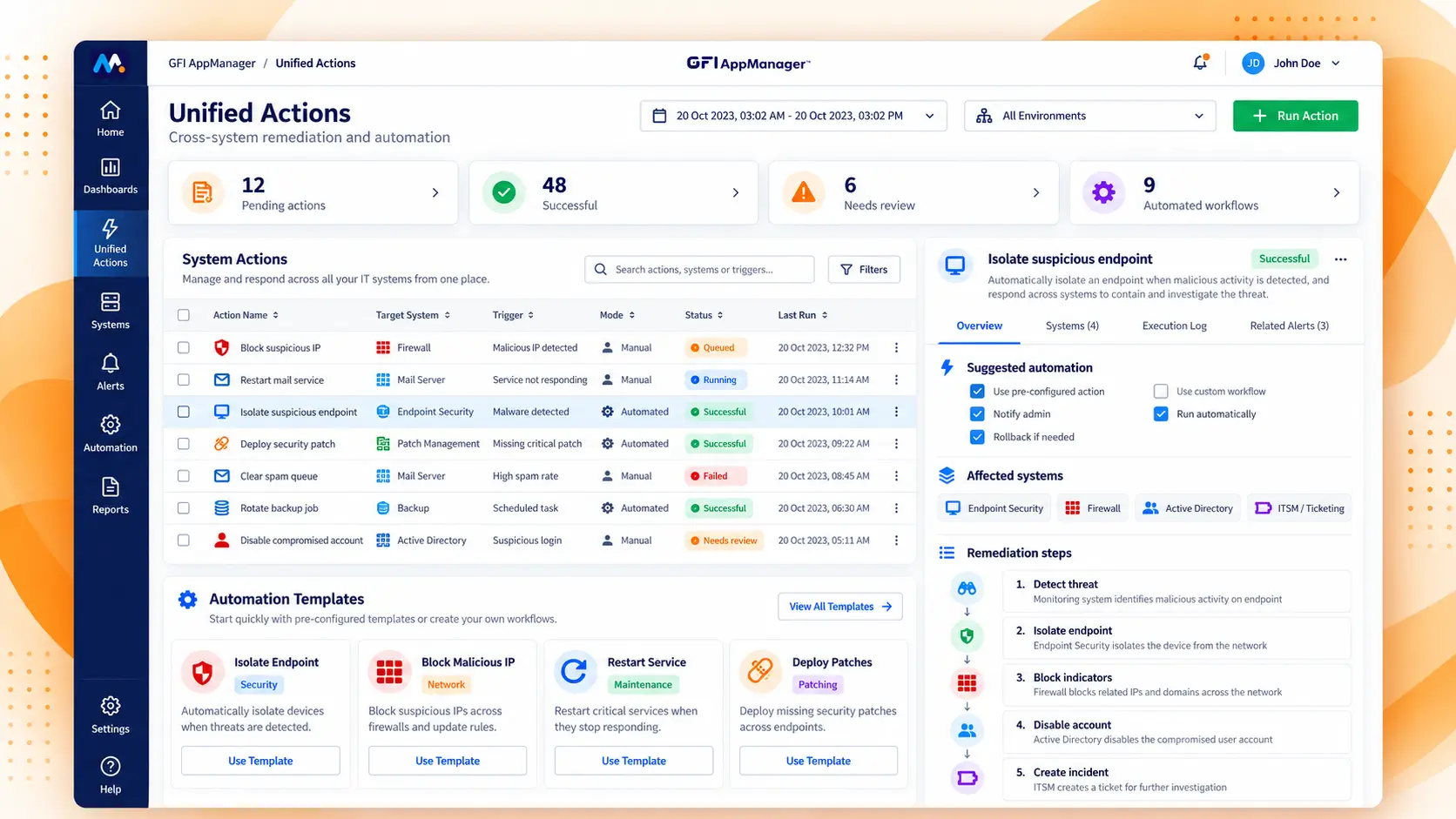
Unified Actions let you manage multiple IT systems from a single interface, with pre-configured and customizable remediation.
Unified Actions across systems
Pre-configured and custom actions
Proactive, automated remediation
● ● ●
GFI AppManager AI · RADAR™
Suggestive actions
Every alert comes with a next step.
RADAR™ doesn’t stop at flagging a problem. It recommends what to do, with automation options ready for immediate use — so response is a click, not a research project.
Pre-configured and customizable actions
Automated remediation for repeat issues
Unified Actions across multiple systems
RADAR™ alert
Illustrative
Anomaly detected
HQ firewall · outbound traffic far above normal to an unfamiliar IP
High
Baseline
Last 15 minutes
Suggested action: block the destination IP on the firewall and notify the account owner.